• Greetings, Devil Dog! Welcome to the Call of Duty Forums. It looks like you're looking forward to Call of Duty: Black Ops 6, but haven't created an account yet. Why not take a minute to register for your own free account now? As a member you get free access to all of our forums and posts plus the ability to post your own messages, communicate directly with other members and much more.

DMZ Just Had 2nd CRASH In Game.

AntiCheatAgent94

The Equalizer
I fully expect all my shit, including the KEY I was carrying are now gone!!

Com'on Developers!! If yer gonna make such a buggy crash-prone game, at LEAST make it so the player doesn't lose all their hard-earned shit!!!

Give us a break!!!

 
Awww frak!!!!

I *KNEW* I shouldn't have done that...

I went to SCAN AND REPAIR GAME FILES after the latest crash..

NOW I am stuck in that OOOPS SOMETHING WENT WRONG.. RE SCAN THE FILES loop..

And the ONLY way out of that is to Re-Install the ENTIRE GAME!!

Which will, with my home 'net speeds, take me about 3 days!!!!

GGGRRRRRRRRRRRRRR

angry.png
 
Yea, it looks like I am royally frak'ed!! And NOT in a good way.. :(

Looks like I am going to have to re-install the game from scratch...

STARLINK!!!! WHY HAVE THOU FORSAKEN ME!!!! :(
 
OK So it seems there IS a problem with the SCAN AND REPAIR...

The "fix" says to go into GAME SETTINGS, find the INTERFACE TAB and disable the PARALLAX setting..

Fixing Scan and Repair in Modern Warfare 2

This specific fix comes from @BrParadox on Twitter, a PC builder and optimizer that sponsors several Call of Duty streamers and pro players. According to them, there’s a fix that has been working for their PCs and clients. Although, they preface that by saying it’s not 100% effective.

Here’s the fix that works for them when it comes to Scan and Repair crashes:

  • Head into the Settings of MW2
  • Select the “Interface” tab of the settings
  • Scroll down until you see “Parallax Effects” and disable it
  • Apply the settings
  • Restart MW2 and boot it back up
With enough luck, this could solve your Scan and Repair problems in Modern Warfare 2. If not, then the last step you can try and take is to uninstall and then reinstall the game.


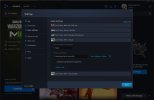
There IS no INTERFACE setting in the BattleNet Game Settings!!!!

GameSettings.jpg
 
Gods know I bitch enough at TPTB for their constant scroo ups in COD...

But here is a bit of credit where credit is due..

I had to do a COMPLETE re-install of COD Warzone 2....

Imagine my delight to learn it's NOT the 120 GB 25-hr download I thought..

But rather a 23GB/3-hr download..

I just dropped the Multiplayer, CoOp and Campaign modes and just installed WARZONE 2...

THAT is something I can live with.. :D

Hopefully, it's actually going to work...
 
Yea, I have been pretty good since I re-installed too...

I installed JUST Warzone 2 and it's pretty stable...

I installed the rest last night and still good so far...

{knock on wood}
 
dmz and multi player crashed on me last night. oh well. but it is not the players theres alot of crashing from what i see online so hopefully it wont be often and through updates it will stop.
 

Like CODForums!

Advertisements

Back
Top