• Greetings, Devil Dog! Welcome to the Call of Duty Forums. It looks like you're looking forward to Call of Duty: Modern Warfare 4, but haven't created an account yet. Why not take a minute to register for your own free account now? As a member you get free access to all of our forums and posts plus the ability to post your own messages, communicate directly with other members and much more.

Warzone PC: latest patch sending FPS way down?

Status
Not open for further replies.

kiteman

Recruit
has anyone had this issue? right after the patch yesterday my FPS went from like 70-90 on my 2060 to 50-70. really weird. just want to know if it's a problem with the patch or elsewhere...

anyone help at all? i ran apex legends no problems on fps, it seems like it is only happening with warzone.
 
That's strange, I've noticed my FPS peak at more than 150 in game and it's often above 100, before the update it would peak in the mid 90s.

Sent from my Huawei P20 Pro using Tapatalk
 
That's strange, I've noticed my FPS peak at more than 150 in game and it's often above 100, before the update it would peak in the mid 90s.

Sent from my Huawei P20 Pro using Tapatalk
when i opened mine after the patch, my resolution was down from 100 to 68 and ray tracing was turned off. even after i fixed those i had terrible fps. i even reinstalled the game and did not fix. any other ideas??
 
has anyone had this issue? right after the patch yesterday my FPS went from like 70-90 on my 2060 to 50-70. really weird. just want to know if it's a problem with the patch or elsewhere...

anyone help at all? i ran apex legends no problems on fps, it seems like it is only happening with warzone.
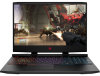
Yes i was running 120s 130s all full graphics now im in the 70s
 
Yes i was running 120s 130s all full graphics now im in the 70s

Oddly for me it turned out my new gaming laptop I only ordered with 1 stick of RAM which is single mode. I bout another stick yesterday, which out it in dual and my FPS shot through the roof on Warzone. In fact this is well documented on YouTube videos as having a significant performance difference in Warzone specifically. I think the new patch just made this game all the more system intensive which is why I just noticed the issue.

May not be others problems but if you aren't running dual SIM I can almost guarantee you that's why the FPS drop.
 
Oddly for me it turned out my new gaming laptop I only ordered with 1 stick of RAM which is single mode. I bout another stick yesterday, which out it in dual and my FPS shot through the roof on Warzone. In fact this is well documented on YouTube videos as having a significant performance difference in Warzone specifically. I think the new patch just made this game all the more system intensive which is why I just noticed the issue.

May not be others problems but if you aren't running dual SIM I can almost guarantee you that's why the FPS drop.
yeah I got 16 gig 1660ti 9th gen as i said i was running 130s, now 70s. same settings as before, hopefully driver will come out or something.
 
yeah I got 16 gig 1660ti 9th gen as i said i was running 130s, now 70s. same settings as before, hopefully driver will come out or something.
Do you have 1 stick of 16gb or 2 sticks of 8gb? 1 stick only runs in single mode, 2 sticks dual. I was running 1 stick of 16gb and getting another stick (with the same gb/specs) solved my problem. use cpu-z to check, it will say under memory at the top right if it is single or dual.
 
Specifications
2 SLOTS


OMEN by HP 15-dc1058wm


1588526399220.png

Gaming


Product number: 7MA38UA#ABA Serial number: 5CD9342M6Y

General specifications


Operating system

Windows 10 Home 64-bit


Microprocessor

Intel(R) Core(TM) i7-9750H CPU @ 2.60GHz


System memory

16 GB


Memory slot 1

8GB Samsung 2667MHz


Memory slot 2

8GB Samsung 2667MHz


System board

8574 21.15


System BIOS

F.16


Video


Graphic device 1

NVIDIA GeForce GTX 1660 Ti


Current resolution

1920 x 1080


Refresh rate

143 Hz
 
Status
Not open for further replies.

Like CODForums!

Advertisements

Back
Top